Showing posts with label recovery. Show all posts
Showing posts with label recovery. Show all posts
Friday, February 24, 2017
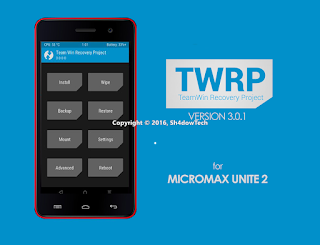
TWRP Custom Recovery for Micromax Unite 2 RECOVERY KITKAT
TWRP Custom Recovery for Micromax Unite 2 RECOVERY KITKAT
WARNING: Rooting your Micromax Smartphone will void its warranty and you won’t be able to claim it. Also, sometimes rooting might get your device bricked. So, if anything wrong occurs to your device while following this tutorial, don’t held me responsible. Proceed at your OWN wish.
Tutorial To Install Custom Recovery Micromax Unite 2 Android Smartphone:
Procedure 1 (USING COMPUTER):
- Download the recovery (obviously ) in pc or move it to pc.
- Start SP Flash tools.
- Load kitkat scatter in it.
- Select only Recovery to flash (tick in front of it)
- Click on download and connect the phone in Switched off state.
- When done, you will see a circle and you will hear a sound too (turn the speaker up )
- Press volume up + volume down + power on. Then press volume up to go to recovery.
- Root your phone, if needed.
Procedure 2 (USING PHONE-ROOT NEEDED):
- Download the recovery in phone or move it to phone.
- Download Flashify (mobile uncle tool should work too, rename the TWRP.img to recovery.img and place it in sdcard root)
- Open flashify and follow the screenshots.
- Reboot to recovery.
Downloads:
- TWRP 2.8.1
- TWRP V3.0.1-0 KITKAT
- TWRP 3.0.2-0 Recovery
Quote:
support new CM 13.0 pattern encryption (sultanqasim)
fix slow flashing issue due to modprobe (present on only some devices) (#twrp)
libtar updated to latest upstream and fixes (jcadduono)
fixes for loading custom themes (_that)
TWRP will now detect and install TWRP themes automatically through the normal zip install process (Dees_Troy)
translation updates - added Italian, Czech and Polish and significant updates to Dutch
progress bar improvements - progress bar updates during image flashing and better tracks progress during file system backups (tar) (Dees_Troy)
fix input box text display (Dees_Troy)
reboot option after zip install complete (bigbiff)
other mostly invisible bug fixes and improvements
fix slow flashing issue due to modprobe (present on only some devices) (#twrp)
libtar updated to latest upstream and fixes (jcadduono)
fixes for loading custom themes (_that)
TWRP will now detect and install TWRP themes automatically through the normal zip install process (Dees_Troy)
translation updates - added Italian, Czech and Polish and significant updates to Dutch
progress bar improvements - progress bar updates during image flashing and better tracks progress during file system backups (tar) (Dees_Troy)
fix input box text display (Dees_Troy)
reboot option after zip install complete (bigbiff)
other mostly invisible bug fixes and improvements
CHANGELOG for 3.0.2-0:
Quote:
Fix a bug with the input box that affected masked inputs (passwords). This fixes decrypt of full device encryption on devices that support decrypt. This bug also impacts encrypted backups. Users are highly encouraged to stop using 3.0.1 if you use encrypted backups or if you need decrypt of data in TWRP.
-Add Greek translation to some builds.
-Add Greek translation to some builds.
Credits:
- Sudeep Bro
- Dees_Troy (Developer Of TWRP)
- EndLess (For Building Recovery And Fixing Invert Touch )
- Charansai (For Helping In Porting Of recovery)
- Ayush Rathore (For Testing & Porting Recovery)
- Pranto (For Material TWRP)
- All Testers For Testing
- techgeek-lab.net - Vijay Jaiswal
Available link for download

Thursday, February 9, 2017
CARLIV TOUCH RECOVERY V3 0 For Micromax Unite 2 Lollipop Kitkat
CARLIV TOUCH RECOVERY V3 0 For Micromax Unite 2 Lollipop Kitkat

Prerequisites -
SP Flash Tools -Download
CTR Kitkat Recovery For Micromax A106 -
CTR V3.0 Lollipop Recovery For Micromax A106 - Download
If Any Problem Is Coming Then Download From Here.
You Can Use Another Custom Recovery If Any But For This Tutorial We Will Use CTR Recovery.
Drivers - Download Here,
Steps To Install CTR Recovery Your Unite 2 Using Sp flash Tool: -
For Lollipop User Follow These Method Only- First of All Enable Developer Option By Tapping Settings > About Phone > Build No. 5-7 Times.It Will Enable Developer Options InYour Device.After Enabling Developer Options,
- Go To Developer Options & Tick USB Debugging Option.
- [Note - This Step Is Mandatory, It Will Protect Your Device From Any Type of Damage To Your Device.]
- .Install The Drivers Properly In Your PC/Laptop.
- DownloadMTK_6582_Scatter_File.
- Open SP_Flash_Tools In Your PC/Laptop.
- Select MTK_6582_Scatter..File.
- Now, By Default All The Options Are Ticked/Selected. You Need To Untick All The Options Except Recovery Option.
- Now Click on The Checked Recovery Option > Select CTR Recovery V.3 File From The Directory Where You Saved It.
- Press Download Button.
- Now Remove Bet try From Your Phone And Connect It With PC via USB cable
- Wait For Sometime, A Green Ring Will Appear That Indicates That The Process Is Completed Successfully.
- Now Press Power Button + Volume Up + Down Buttons Together. Then A Type of Black Screen With Some Text Will Appear, Now Press Volume Up Button Twice & Then Volume Down Button Once.Now You Have CTR Recovery on Your Unite 2 A106.
- Enjoy :)
- I Am Not Responsible For Any Damage/Bricking of Your Device. If You Are Not Getting Anything or Stuck Somewhere At Any Step, Drop Down Your Query/Doubts in Comment Box & Ill Help You. :)
Steps To Install CTR Recovery Your Unite 2 Using Terminal: -- Download and put the recovery.img to the root of your sdcard.
- From Phone using Terminal emulator:
- open terminal emulator and type the following commands one by one:
Code:sudd if=/sdcard/recovery.img of=/dev/recoveryFrom PC via ADB:Connect the phone to PC with USB and turn on USB Debugging. Then enter the following command via adb:Code:adb shellsudd if=/sdcard/recovery.img of=/dev/recoverySteps To Install CTR Recovery Your Unite 2 Via Mobile : -- ROOT Required
- Open MobileUncle Tools
- And go to the Recovery Update.
- You should see the recovery you placed in your SD card.
- Select it and click on OK. Finally,
- choose reboot to Recovery.
- If all was done correctly,
- your phone should boot into your new recovery
Congratulations! You now have Installed CTR custom recovery on your Micromax Unite 2 device. You can now enjoy apps that requires Superuser rights, mods and ROMs that requires flashing from CWM.
Thanks A Lot To My Very Dear Friend Patraanjan23 For Developing CTR V3 Recovery For Unite 2and Viajy Jaiswal
Available link for download
Subscribe to:
Posts (Atom)